

You are sitting at a kitchen table trying to figure out what needs to be printed for the guests. A celebration of life rarely has a strict religious order of service, which can feel liberating, but also confusing when you are trying to fill a blank page. When you are working through our comprehensive planning guide, the program serves as both a map for the day and a keepsake for the years to follow. It tells guests where to go, who will be speaking, and how they can participate in the day.
A celebration of life program typically includes a cover with a photo and dates, a simple order of events, a list of speakers, and a favorite quote. Setting up celebration of life photo sharing in advance ensures that candid images from family and friends are ready to be included in the design. If you want a structured template to organize every element, download our free Celebration of Life Planner, which includes a printable program template, run sheet, roles breakdown, and budget tracker.
Download The Free Celebration of Life Planner (PDF)
A printable 13-page planning guide with a six-week timeline, roles sheet, day-of run sheet, program template, host scripts, and budget tracker. Totally free to download with no email or account required.
Do you actually need a printed program?
Some hosts wonder if printing a physical document is necessary in a digital world. While you can send a digital version via text or email, a physical program serves a specific purpose at the venue. It gives guests something to hold while they wait for the ceremony to begin. It provides a focal point and a place for their eyes to rest during emotional moments. Many guests will take the program home and place it on a mantel or inside a book, turning it into a lasting memory of the event.
A printed program also solves practical problems. If the venue is large or the schedule is loose, the program explains exactly what is happening next. It identifies speakers who might not be known to every guest. It also lists any specific instructions, such as where to go for the reception or how to contribute to a memorial fund. In a moment when people are feeling distracted by their own memories, a simple piece of paper provides clarity.
If you are worried about the cost or the environmental impact, you can keep the design simple. A single double sided sheet of heavy paper is often enough. You do not need a multi page booklet to be effective. The goal is information and honor, not complexity. If you decide to go purely digital, ensure the link is easy to access and that you have a few physical copies for older guests who may not be comfortable with their phones.
The four essential sections of a one-page program
Most programs follow a logical flow that starts with the individual and moves into the community experience. You can organize this on a standard letter size sheet of paper folded in half. This gives you four panels to work with, but you can also fit everything onto a single flat card. Here is how to break down the information.
1. The Cover: Photo, dates, and a welcoming thought
The cover is the first thing guests see. It should be simple and focused. Choose a photo that captures the person in a natural, happy moment. It does not have to be a formal portrait. A photo of them in their garden, on a boat, or laughing at a dinner table often feels more appropriate for a celebration of life. The lighting should be clear, and their face should be the main focus.
Under the photo, include their full name and any nickname they were widely known by. Below the name, list the dates of their birth and their passing. Some families prefer to use the years only, such as 1954 to 2024, to keep the design clean. You might also add a short, descriptive phrase like A Life Well Lived or Forever in Our Hearts. Keep the font large and easy to read from a distance.
2. The Flow: Order of events and speakers
The inside of the program should outline the sequence of the day. Unlike a traditional funeral, a celebration of life can be very flexible. You might start with a musical prelude, followed by a welcome from a family member. Then, you could list the eulogy, any specific readings, and a period for open sharing where guests can tell their own stories. If your family needs help drafting speeches or readings for this section, review our guidance on opening words and tributes.
Include the names of everyone who is speaking. This helps guests follow along, especially if a speaker is a cousin or a colleague from a different part of the person’s life. If you are having a reception afterward at a different location, put the address and the time at the bottom of this section. This prevents guests from having to ask for directions while the family is trying to greet people.
3. The Personal Touch: Quotes, music, and thank you notes
The back or the lower section of the program is a great place for details that do not fit in the schedule. You might include the lyrics to a favorite song that is being played. You could add a short poem or a quote that the person used to say often. If they had a specific hobby, like birdwatching or classic cars, you could include a small illustration or a mention of that passion.
This is also the place to thank people. A short note expressing gratitude to the staff at a hospice, the pallbearers, or the guests for their support means a lot. You can keep this general: The family wishes to thank everyone for their kindness and presence here today. If there is a specific charity the person supported, you can list the website for donations here as well.
4. The Modern Addition: A QR code for photos and stories
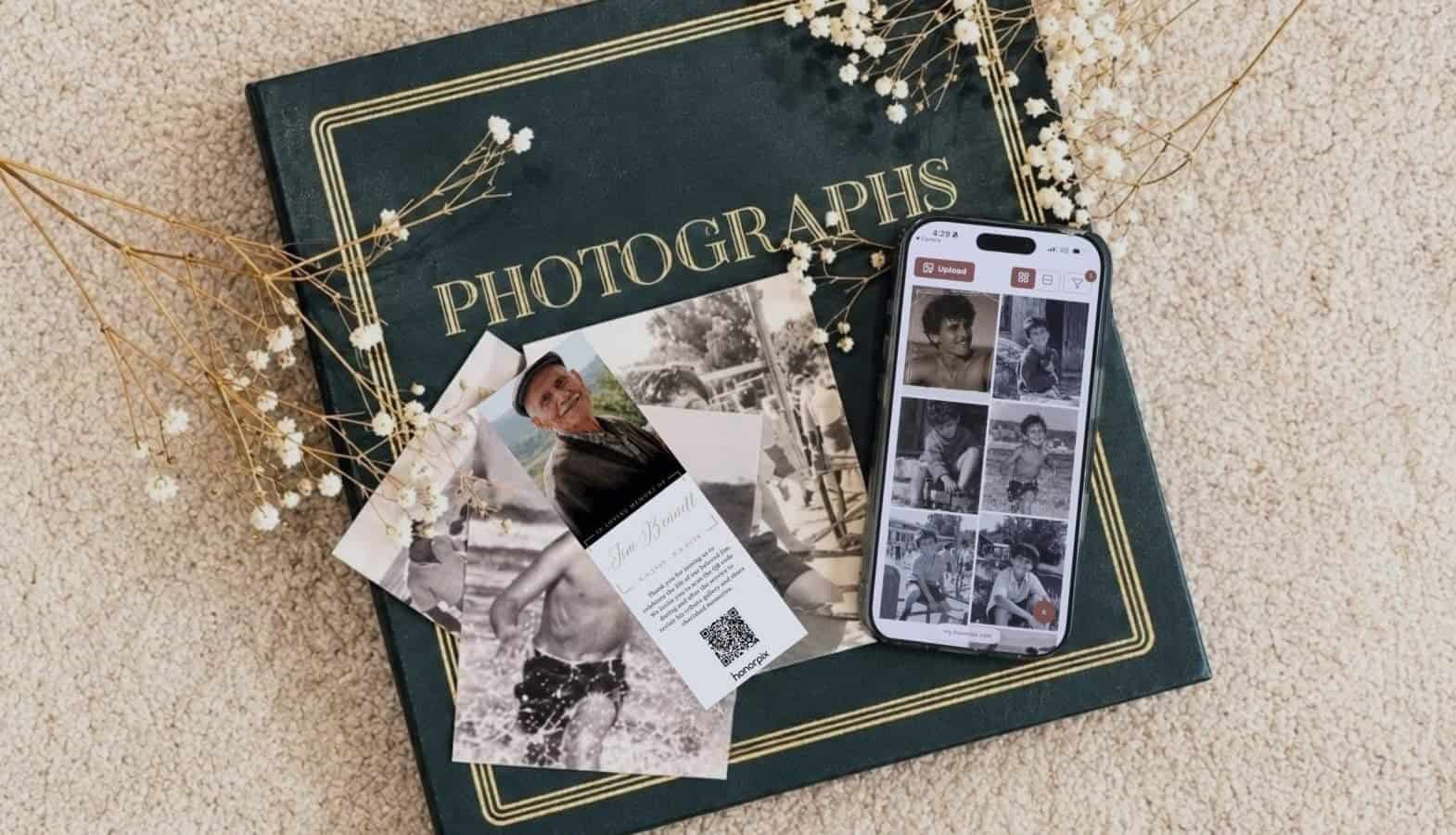
Static paper programs are beautiful, but they miss the living memories that exist in the room. Every guest sitting in the chairs likely has photos on their phone that the family has never seen. These are photos from old offices, college trips, or backyard parties. honorpix makes it easy to add a memorial QR code to the program, allowing guests to bridge the gap between their phone and your family archives.
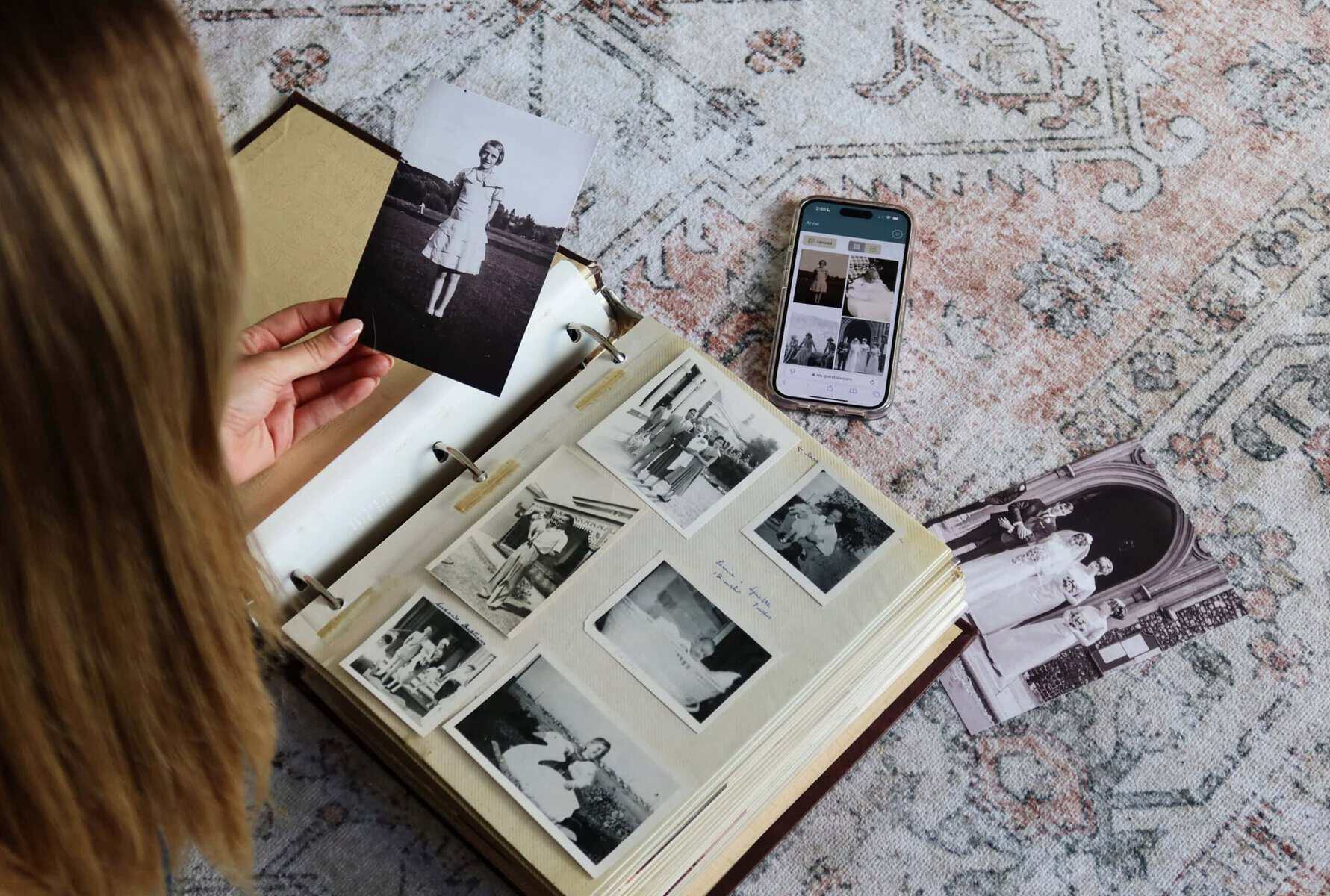
When you include a QR code, guests can scan it with their camera and immediately upload their own pictures and videos during the reception. It creates a collective digital scrapbook that grows throughout the day without having to track people down later for copies. You can even connect the gallery to project a memorial slideshow on a screen at the venue, showing the new photos as they arrive.
Free to begin, no credit card. Open a gallery, add a few photos, and share one link with the family.
Free printable celebration of life program template
If you are feeling stuck on the layout, you can copy the text below and paste it into a document. This is a standard layout for a folded letter size program. You can adjust the wording to fit your specific needs.
[Front Cover]
Celebrating the Life of
[Full Name]
[Birth Date] to [Passing Date]
"A life lived to the fullest is a life to be celebrated."
[Place Portrait Photo Here]

[Inside Left Panel]
Order of Celebration
Prelude: [Song Title]
Welcome and Opening Remarks: [Name]
A Reading of [Poem or Scripture]: [Name]
The Life Story: [Name]
Musical Tribute: [Song Title]
Sharing of Memories: Open Floor
Closing Thoughts: [Name]

[Inside Right Panel]
Our Favorite Memories
[Name] loved nothing more than [Hobby or Passion].
We invite you to share your own stories and photos
of your time spent with them.
Scan the QR code on the back to add your photos
to the family memorial gallery.

[Back Cover]
With Gratitude
The family would like to thank you for your
love, support, and presence today.
[Optional: Donations in memory of [Name]
may be made to [Charity Name]]

[Place honorpix QR Code Here]
Scan to share photos and videos
Designing and printing your program without stress
You do not need to be a professional designer to make a beautiful program. honorpix provides editable memorial program templates designed specifically for Canva, allowing you to drag and drop your photos and pre-placed QR code effortlessly. You can also explore general layout templates on Canva to find complimentary designs. Try to stick to two fonts at most: one for headings and one for the main text. This keeps the document looking clean and respectful.
When it comes to printing, the quality of the paper makes a significant difference. Standard printer paper is often too thin and can feel flimsy. Look for a cardstock that is around 80lb or 100lb weight. This feels substantial in the hand and will not crease easily. If you are printing a folded program, ask the print shop to score the paper for you. Scoring creates a small indentation that allows the paper to fold cleanly without cracking the ink or the fibers of the paper.
If you are printing at home, do a test run first. Check that the margins are correct and that the photos look clear on the paper you have chosen. If the photos look too dark, you may need to brighten them slightly in your editing software. Remember to print about ten percent more programs than you think you will need. People often take an extra copy for a family member who could not attend.
Sharing with those who cannot be there
Not everyone who cared for the person will be able to travel to the service. For faraway relatives or friends who are unwell, a digital copy of the program is a thoughtful gesture. You can email a PDF of the program to them on the morning of the celebration. This allows them to read the order of events and feel connected to the flow of the day as it happens.
The QR code in the program is particularly useful for these remote guests. Even if they are thousands of miles away, they can scan the code from their screen and upload their own photos to the gallery. They can see the photos that guests are uploading in real time, which helps them feel like they are part of the community. It is a way to ensure that the collective memory of the person is not limited by geography.
Frequently Asked Questions
How many programs should you print for a celebration of life?
+
A practical rule is to print one copy per expected guest plus 15 to 20 extra copies. Although couples and families often share a single program during the service itself, many guests want an individual copy to keep as a treasured memento. If you anticipate 80 attendees, ordering approximately 95 to 100 copies gives you a comfortable safety margin. Extra copies can also be mailed to overseas relatives or close friends who were unable to travel to the gathering.
What is the standard size and paper weight for a program?
+
The most popular format is a standard 8.5 by 11 inch sheet folded in half to create a neat 4-page booklet. For paper stock, avoid lightweight 20lb office copy paper which creases easily and looks translucent under direct light. Instead, select an 80lb text or 65lb to 80lb cover cardstock with a soft matte or satin finish. This gives the program a sturdy, high-quality feel in the hands and ensures photographs print crisply without glare.
Can you create a celebration of life program for free?
+
Yes, you can design a beautiful program without purchasing expensive graphic software. Free platforms like Canva provide dozens of elegant memorial layouts that you can customize in minutes by inserting your own text and photos. You can also copy our plain-text template directly into Google Docs or Microsoft Word. If you print the sheets on your home printer or at a local library, your only expense will be a pack of quality cardstock.
What if you don’t know the exact schedule of events yet?
+
You do not need to print precise minute-by-minute timestamps on the program. Instead, list the general phases of the afternoon such as Welcome, Shared Memories, Slideshow, and Reception. Celebrations of life are naturally relaxed and fluid, so attendees appreciate knowing the sequence of moments rather than watching the clock. The key elements guests care most about are seeing a welcoming portrait photo, reading a meaningful poem, and having the QR code to upload memories.
A celebration of life program is more than just a schedule. It is a guide that helps people through a difficult day and a record of a life that mattered. By focusing on practical details and adding a way for guests to share their own memories, you create a document that people will want to keep.
honorpix is built by the team behind GUESTPIX.


3 Responses